How to Spot and Handle Subscription Price Increases
Catch a subscription price increase early: check notices and statements against what you signed up for, then accept, downgrade, switch to yearly or cancel.
Key takeaways
- Price increases are usually announced by email or in-app notice, and some App Store increases ask you to accept the new price.
- Compare each charge on your statement with the price you signed up for, and keep a simple price history.
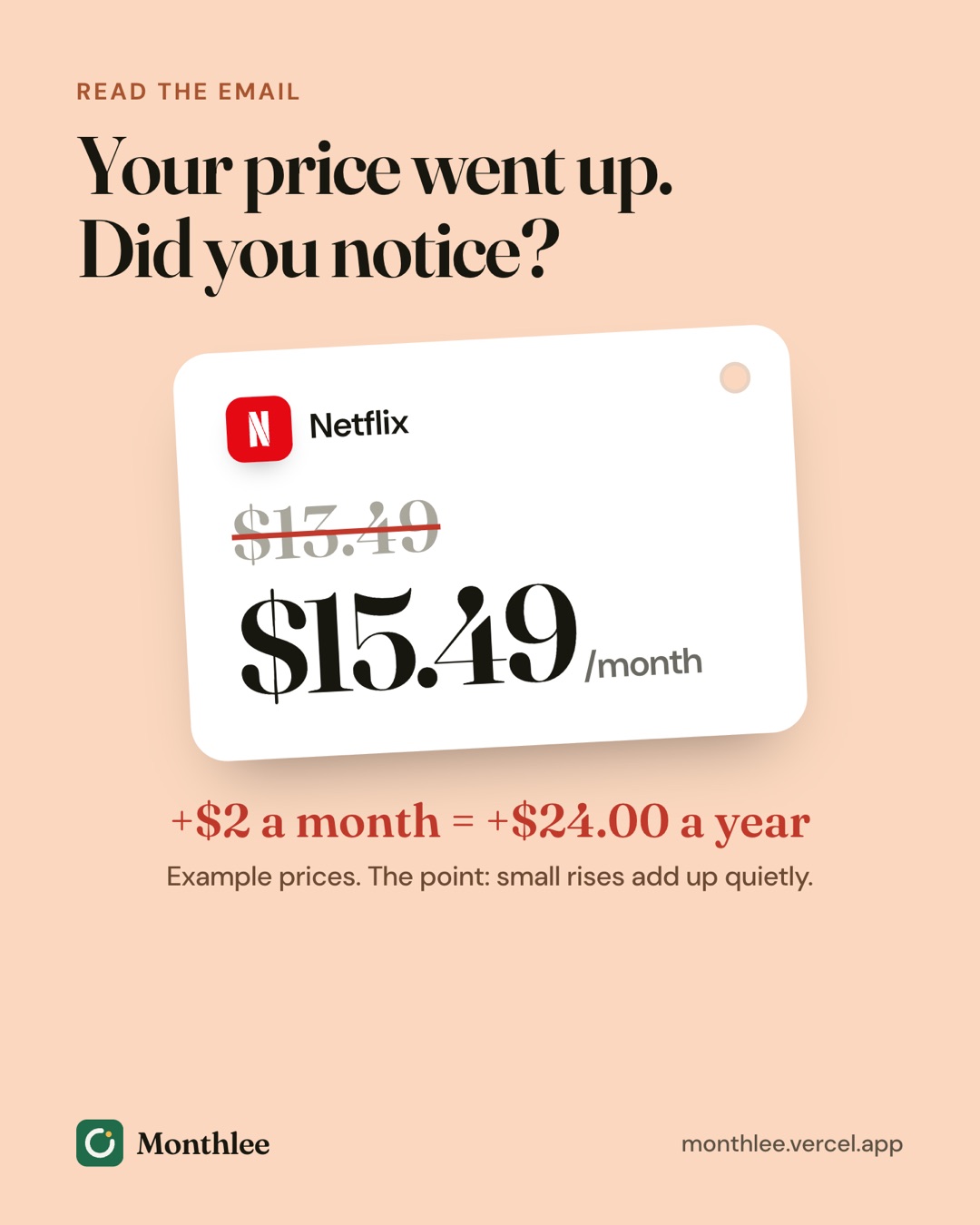
- A $2 monthly increase costs $24 a year, and several small increases together can add up to over $100.
- Your options are to accept, downgrade, switch to yearly, pause, cancel, or ask for a retention offer.
- Decide before the new price takes effect, since most increases apply from your next billing date.
A subscription price increase is usually announced by email or an in-app notice a few weeks before it takes effect, and it typically applies from your next billing date. The way to spot one is to compare what you're charged with the price you signed up for, every time a charge lands.
Once you've spotted it, you have more choices than "pay it" or "quit." You can accept it, move to a cheaper tier, switch to a yearly plan, pause, cancel, or ask for a retention offer. The right choice depends on how much you use the service and what the increase adds up to over a year.
A $2 monthly increase sounds small, but it's $24 a year, and several small increases at once can quietly add more than $100. Here's how to catch them and what to do next.
How companies announce subscription price increases#
Most services tell you before a price goes up, but the notice is easy to miss. Common ways it arrives:
- Email. Often a short message with a subject like "An update to your plan" or "Changes to your membership." The new price may be in the second paragraph.
- In-app or on-screen banners. A notice when you open the app or sign in on the website, sometimes dismissed with one tap.
- App Store notices. For subscriptions billed through Apple, you may get an email and a notification about the change.
- Updated terms. Occasionally the change appears as part of a terms-of-service update rather than a clear price announcement.
The notice usually includes the new price and the date it takes effect. That date is your deadline to decide.
App Store price increases#
When a subscription is billed through the App Store, Apple handles the notice. Depending on the change, Apple may ask you to review and agree to the new price before it applies. If you don't agree before the renewal date, the subscription may not renew. For other increases, you're notified in advance and the new price applies automatically at renewal.
Either way, you can check the current price of each subscription in Settings → [your name] → Subscriptions. That screen shows what you'll be charged next and when. If you want to cancel instead, tap the subscription on that same screen and choose Cancel Subscription.
Increases that come without much warning#
Not every price change is announced loudly. Watch for:
- Promotional prices ending. A "first three months at $4.99" deal that jumps to the standard price.
- Introductory yearly rates. A discounted first year that renews at the full yearly price.
- Tax or fee changes. Amounts that shift slightly because of local taxes or currency conversion.
- Plan changes. A plan you're on being retired and replaced by a more expensive one.
None of these may come with a dramatic email, which is why checking statements matters.
Check your statements against the price you signed up for#
The most reliable way to catch a subscription price increase is to compare each charge with what you expect to pay. It takes a few minutes a month.
- Write down the price you signed up at. For each subscription, note the amount, the billing cycle and the date it renews.
- Open your latest bank or card statement. Also check PayPal, Apple and Google Play purchase histories if you pay through them.
- Match each recurring charge to your list. Look for the merchant name and the amount.
- Flag anything that doesn't match. A higher amount, a charge you didn't expect, or a service you thought you'd cancelled.
- Look up the reason. Search your email for the service's name and "price" or "plan" to find the notice.
If you don't have a list of what you pay for yet, start with how to track all your subscriptions in one place. If some charges on your statement are a mystery, the 30-minute subscription audit is a good way to sort through them.
Where to look for each kind of subscription#
| Where you pay | Where to check the current price | What to look for |
|---|---|---|
| App Store (iPhone, iPad) | Settings → [your name] → Subscriptions, or your Apple purchase history | Renewal price and date for each app |
| Google Play | Play Store → profile picture → Payments & subscriptions → Subscriptions | Price and next payment date |
| Directly with the service | Account or Billing page on the service's website | Current plan and price, billing history |
| PayPal | Automatic payments in your PayPal settings | Merchants with active payment permissions |
| Bank or credit card | Monthly statement or banking app | Amount and merchant name on each recurring charge |
Keep a price history for every subscription#
A price history is just a record of what each subscription cost and when it changed. It turns a vague feeling that "everything's getting more expensive" into something you can act on.
For each subscription, keep:
- Date started and starting price
- Each price change, with the date it took effect
- The current price and billing cycle
- Any discount or promotion, and when it ends
A notes app or a spreadsheet is enough. Add a line whenever a notice arrives or a charge changes. Over a year or two, you'll see which services raise prices most often and which ones are drifting out of your budget.
If you'd rather not maintain it by hand, Monthlee on iPhone can help: after a renewal it asks whether the charge matched what you expected, and its Plus plan adds price-change alerts and a price history for each subscription. You still enter subscriptions yourself, since it never connects to your bank.
What a $2 increase really costs#
Small monthly increases are easy to shrug off. Doing the arithmetic over a year makes the real cost clearer.
Worked example: one subscription#
Say a streaming plan goes from $15.49 to $17.49 a month.
- Before: $15.49 × 12 = $185.88 a year
- After: $17.49 × 12 = $209.88 a year
- Difference: $209.88 − $185.88 = $24.00 a year
That's the same as $2 × 12 = $24. Not dramatic on its own, but worth a moment's thought.
Worked example: several increases at once#
Increases often come in clusters. Imagine these changes over a few months, using example prices:
| Subscription | Old price | New price | Monthly increase | Yearly increase |
|---|---|---|---|---|
| Video streaming | $15.49 | $17.49 | $2.00 | $24.00 |
| Music streaming | $10.99 | $11.99 | $1.00 | $12.00 |
| Cloud storage | $2.99 | $3.99 | $1.00 | $12.00 |
| Gym membership | $40.00 | $45.00 | $5.00 | $60.00 |
| Total | $9.00 | $108.00 |
Each change on its own is easy to accept. Together they add $108 a year, which is roughly the cost of another subscription you never chose to buy.
Your options when a price goes up#
Once you know a price is rising, decide what to do before the new price applies. Here are the main options.
Accept the new price#
If you use the service often and it's still good value, accepting is a perfectly reasonable choice. Just make it a decision rather than a default. Update your list with the new price so your monthly total stays accurate.
Downgrade to a cheaper tier#
Many services offer several plans: an ad-supported tier, a plan with fewer screens or lower video quality, a smaller storage size, or an individual plan instead of a family one.
Using the example above, moving from a $17.49 plan to a $7.99 ad-supported plan saves $17.49 − $7.99 = $9.50 a month, or $114 a year. That's more than four times the increase itself.
Check what you lose before switching: ads, simultaneous streams, download limits or features you rely on.
Switch to a yearly plan#
If a yearly plan is available at a lower effective monthly price, switching can soften the increase. A yearly plan also generally keeps your price fixed until that plan renews.
For example, if the plan above costs $17.49 a month or $174.99 a year, paying yearly saves $209.88 − $174.99 = $34.89 compared with paying monthly at the new price. That only makes sense if you're confident you'll keep the service all year. Monthly vs yearly subscriptions explains how to work out the break-even point.
Pause the subscription#
Some services, especially gyms, meal kits and certain apps, let you pause instead of cancelling. Pausing can be useful if you're stepping away for a while. Check how long the pause lasts and whether it restarts automatically at the new price.
Cancel#
If the new price tips the service from "worth it" to "not worth it," cancel. For most subscriptions, you keep access until the end of the period you've already paid for, so cancel before the renewal date to avoid the higher charge.
Cancel in the same place you subscribed. For services that make leaving difficult, how to cancel hard-to-cancel subscriptions walks through written notices and keeping records.
Ask for a retention offer#
When you start to cancel, some services show a discount or a cheaper plan to keep you. You can also contact support, explain that the increase makes it hard to justify, and ask whether there's anything they can offer.
If you get an offer, note the details:
- The discounted price
- How long it lasts
- What the price becomes afterwards
Say you're offered $12.99 a month for three months instead of $17.49. That saves 3 × ($17.49 − $12.99) = $13.50, and then you're back at the new price. Set a reminder for when the offer ends so you can decide again.
There's no guarantee of an offer, so decide in advance whether you'll cancel if none appears.
Comparing your options side by side#
| Option | Best when | Watch out for |
|---|---|---|
| Accept | You use it a lot and it's still good value | Letting it become a habit for every increase |
| Downgrade | You don't need every feature of your current plan | Ads, fewer screens, smaller limits |
| Switch to yearly | You'll definitely use it all year | Paying upfront for months you might not use |
| Pause | You're taking a break, not leaving for good | Automatic restart at the new price |
| Cancel | The new price isn't worth it to you | Losing older pricing if you come back later |
| Retention offer | You'd stay if it were cheaper | Offers that end quietly after a few months |
Build a routine so increases never surprise you#
A small monthly habit is enough to catch most increases:
- Read billing emails from subscriptions. A quick skim for "price," "plan" or "changes."
- Check your statement once a month. Match each recurring charge to your list.
- Update your price history whenever something changes.
- Set reminders before renewals. Especially for yearly plans, where a higher price can mean a big jump in one charge.
- Review your total. If increases push your total past what you're comfortable with, the guide to budgeting for subscriptions can help you decide what to keep.
The bottom line#
Subscription prices rise quietly, so you need a way to notice. Keep a list of what each subscription should cost, compare it with your statements every month, and read any notice about plan or price changes.
When a price goes up, work out what it adds up to over a year, then decide before the new price applies: accept, downgrade, switch to yearly, pause, cancel, or ask for a better offer. Making that choice on purpose is what keeps small increases from turning into a much bigger bill.
Frequently asked questions
How do I know if a subscription price went up?
Look for an email or in-app notice from the service, and compare the amount on your latest bank or card statement with the price you originally signed up for. Keeping a short list of what each subscription should cost makes changes easy to spot.
Can I avoid a subscription price increase?
Sometimes. You may be able to switch to a yearly plan before the new price applies, move to a cheaper tier, or accept a retention discount when you try to cancel. Otherwise, the new price usually applies from your next billing date.
What happens if I don't accept an App Store subscription price increase?
For some price increases, Apple asks you to review and agree to the new price. If you don't agree before the renewal date, the subscription may not renew. Other increases are applied after a notice without needing your approval.
Is it worth asking a company for a discount after a price increase?
It can be. Some services offer a temporary discount or a cheaper plan when you start to cancel. It costs nothing to check, but there's no guarantee, so decide in advance what you'll do if no offer appears.
Know every charge before it lands.
Monthlee keeps your subscriptions, bills and free trials in one calm list and reminds you before each charge. No bank login. Free for up to 5 subscriptions.
Download on theApp Store- Reminders 1, 2, 3 or 7 days before
- Free-trial warnings
- Monthly and yearly totals
- Cancel guides with direct links
Keep reading
 Save money
Free Alternatives to Paid Subscriptions Worth Trying
Free alternatives to subscriptions: free tiers, library apps, built-in phone apps, open-source software and shared plans, with honest trade-offs for each.
 Save money
Subscriptions on a Student Budget: Keep, Cut and Discounts
How to manage student subscriptions on a tight budget: decide what to keep or cut, check for student pricing, use free campus resources and pause over summer.
 Save money
The Subscription Detox: A 30-Day Reset
A subscription detox is a 30-day reset: pause or cancel everything non-essential, notice what you miss, then add back only what earns its place.