Paying for Several AI Subscriptions? Decide What to Keep
Paying for several AI subscriptions? Use a simple framework to decide what to keep by use case and cost, trial new tools safely, and stop paying twice.
Key takeaways
- List every AI subscription, including ones bundled into other plans or paid by your employer.
- Decide by what you actually do with each tool, not by which one is said to be best this month.
- Most people need one general AI chat subscription; a second has to earn its place with a clear use.
- Check you aren't paying for the same service twice, for example once through the App Store and once on the website.
- Try new AI tools one at a time, with a reminder set before the first charge.
If you're paying for several AI subscriptions, keep the one you use most for everyday tasks, and only keep a second if it does a specific job you rely on every week. Cancel anything you opened less than a few times last month. Then check you aren't paying for the same AI service twice, for example once through the App Store and once on the service's website.
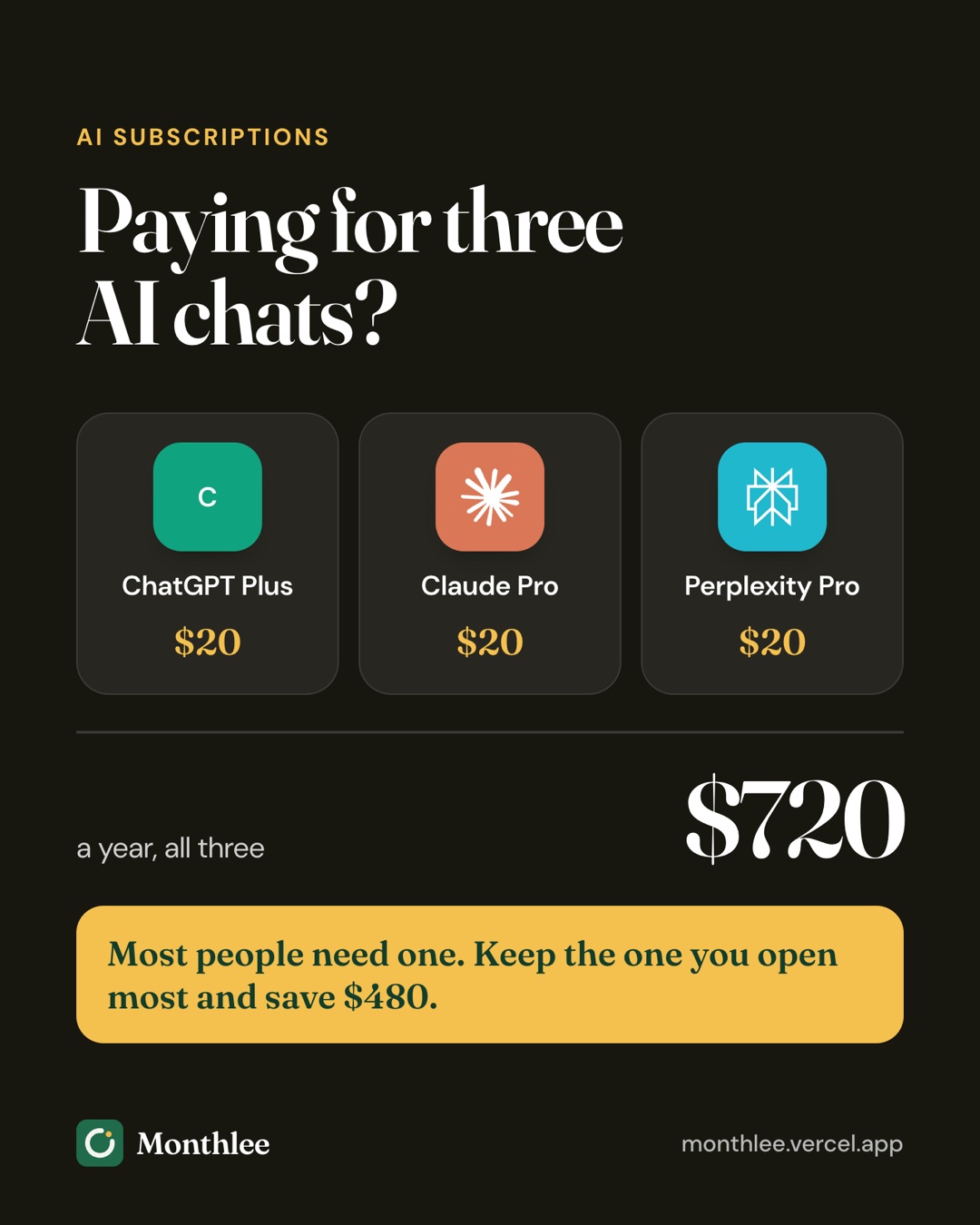
AI chat plans tend to cost about the same as a streaming service each, and they stack up quickly. Three of them at $20 a month is $60 a month, or $720 a year. That's worth a short, honest review.
Below is a simple way to decide what to keep, how to trial new tools without getting stuck paying, and how to spot the double charges that are surprisingly common with AI apps.
Why AI subscriptions pile up so fast#
AI tools are new, change often, and get a lot of attention. That combination makes it easy to sign up for more than you need:
- A new release gets everyone talking, so you subscribe to try it and forget to cancel the old one.
- Different tools are recommended for different tasks, like writing, coding, research or images.
- Plans are sold in several places: inside the iPhone app, on the website, bundled into other plans, or through work.
- Each one feels small. One $20 plan doesn't seem like much until you add up four.
None of this means AI subscriptions are a waste. Many people get real value from them. The goal is to pay for the ones that earn it, not every one that launched this year.
List every AI subscription you're paying for#
Start by finding all of them. They can hide in more places than other subscriptions.
| Where to look | What you might find | How to check |
|---|---|---|
| iPhone App Store | AI apps subscribed to inside the app | Settings → [your name] → Subscriptions |
| Google Play | AI apps on Android | Play Store → profile picture → Payments & subscriptions → Subscriptions |
| The service's website | Plans bought directly with a card | Log in → Settings, Billing or Plan |
| Card and bank statements | Website subscriptions, add-ons, usage-based charges | Search for repeating charges from AI companies |
| Bundles | AI features included in a storage, office or phone plan | Check what your existing plans include |
| Work | Team or business AI plans | Ask your IT team or manager |
Write each one down with its price, billing cycle, how you pay (Apple, Google, card) and the next charge date. If you need help with the search, see how to find every subscription you're paying for.
A decision framework for AI subscriptions#
Arguing about which AI model is "best" won't settle it, because the answer changes every few months and depends on your tasks. A better question is: what do you use each one for, and how often?
Step 1: write down your actual use cases#
Look back at the last month and list what you really used AI for. Be specific:
- Drafting and editing emails or documents
- Summarizing long articles or reports
- Answering questions while researching something
- Writing or fixing code
- Brainstorming ideas
- Studying or explaining a topic
- Making images
Ignore things you might do someday. Budget for what you do now.
Step 2: match each use case to one tool#
For each use case, note which subscription you actually reached for. You'll often find one tool handles most of the list, and the others are used for one or two tasks, or almost never.
Step 3: score each subscription#
For each AI subscription, answer four questions:
- How many days did I use it last month? Check your chat history; most tools keep one.
- Is there a task only this tool does for me? Not "does better in theory", but something you actually rely on.
- Would the free tier be enough? Many AI services have a free version with lower limits. If you rarely hit the limits, you may not need the paid plan.
- Would I subscribe today at this price? If not, that's your answer.
Step 4: decide keep, downgrade or cancel#
- Keep: used most weeks, and it covers your main use cases.
- Downgrade to free: used occasionally, and the free version covers it.
- Cancel: rarely used, or duplicates what your main tool already does.
- Rotate: needed only for a project. Subscribe for a month, then cancel.
A rule of thumb that works for many people: one general AI chat subscription, plus at most one specialist tool for a specific job you do every week. Anything beyond that should have a clear reason written next to it.
A worked example: four AI plans down to one or two#
Here's a common situation. The prices are examples for illustration, not current prices for any service; at the time of writing, many individual AI chat plans sit around $20 a month.
| AI subscription | Monthly price | Days used last month | Main use | Decision |
|---|---|---|---|---|
| ChatGPT Plus | $20.00 | 22 | Writing, everyday questions | Keep |
| Claude Pro | $20.00 | 9 | Long documents, coding | Keep for now, review in a month |
| Gemini paid plan | $20.00 | 2 | Tried once for research | Cancel |
| Perplexity Pro | $20.00 | 1 | Forgot it was active | Cancel |
| Total | $80.00 |
Before the review:
- $20 × 4 = $80 a month
- $80 × 12 = $960 a year
After cancelling two:
- $20 × 2 = $40 a month
- $40 × 12 = $480 a year
- Savings: $960 − $480 = $480 a year
If the second plan doesn't earn its place in a month, dropping it too takes the cost to $20 × 12 = $240 a year, a total saving of $960 − $240 = $720.
Notice the decision isn't based on which tool is "smarter". It's based on days used and the job each one does for this person. Someone else with the same four subscriptions might keep a different pair.
Try AI tools without getting stuck paying#
Trying new AI tools is reasonable; they change quickly. The problem is trying one, liking it for a week, and then paying for it for a year without noticing.
The trial-and-cancel method#
- Try one new tool at a time. If you test three at once, you won't know which one actually helped.
- Use the free tier first. Hit its limits on real tasks before you pay.
- If you pay, set a reminder immediately. Put it a few days before the next charge, or before a free trial ends.
- Test it on your real work. Run the same three or four tasks you do every week through the new tool and your current one.
- Decide before the reminder fires. Keep it and cancel something else, or cancel the new one.
For App Store subscriptions on iPhone, you can often cancel right after subscribing and still keep access until the end of the paid period. For free trials through Apple, cancel at least 24 hours before the trial ends to avoid the charge. More on that in how to avoid getting charged after a free trial.
Pair it with one-in-one-out#
If a new tool wins, it should replace something rather than join the pile. That keeps your total steady even as tools come and go.
A tracker helps with the reminders. Monthlee warns you before a free trial turns into a paid plan and then asks whether you kept it, and you choose how many days before each renewal you want a reminder. You add subscriptions yourself, and it never asks for a bank login.
Avoid paying twice for AI subscriptions#
Double charges are more common with AI tools than with most subscriptions, because the same service is often sold in several places.
Same service, two places#
The most common case: you subscribed in the iPhone app through Apple, then later logged in on the website and subscribed there too, or the other way round. Those are two separate subscriptions with two separate bills. Cancelling one doesn't cancel the other.
How to check:
- On iPhone: Settings → [your name] → Subscriptions. Note any AI apps listed.
- On the website: log in and open the Billing, Plan or Subscription page. If it shows an active plan paid by card, that's a second subscription.
- On your statement: look for one charge from Apple and another from the AI company directly in the same month.
If you find a duplicate, cancel one. Subscriptions bought through Apple must be cancelled through Apple: Settings → [your name] → Subscriptions → choose the app → Cancel Subscription, or at https://apps.apple.com/account/subscriptions. A web subscription is cancelled from the billing page on the service's website. Menus change, so check the service's help page if yours looks different. The Apple steps are covered in detail in how to cancel subscriptions on iPhone.
If you were charged by Apple for a plan you didn't mean to keep, you can request a refund at https://reportaproblem.apple.com. Apple decides, and refunds aren't guaranteed. See how to get a refund for an App Store subscription.
Two accounts, same service#
Some people end up with a personal account and a separate account under a different email, each with a paid plan. Search your email for receipts from each AI company, and check which addresses they were sent to.
Overlap with bundles#
Some AI features come bundled with other plans, such as storage, office software or phone plans. If you already get an AI plan as part of something else, a separate subscription to the same thing may be redundant. Check what your existing plans include before adding a standalone one.
Team and work AI plans#
Work adds another layer. Many companies now provide AI tools to staff, and some people pay personally for a tool their employer already provides.
If your employer provides an AI plan#
- Use it for work tasks. There's no reason to pay personally for work you do on a work plan.
- Follow your company's rules. Many employers restrict which AI tools can be used with work data. Putting company information into a personal account may break those rules.
- Keep personal and work separate. If you also want AI for personal use, decide whether the free tier is enough outside work.
If you're paying for work yourself#
If you use an AI tool mostly for your job, ask whether your employer will provide or reimburse it. If you're self-employed, keep the receipts and talk to an accountant about how to treat the cost; don't assume.
Small team plans#
If you run a small team, compare the per-seat price of a team plan against everyone expensing individual plans. Team plans may cost more per person but bring admin controls and central billing. Either way, remove seats as soon as someone leaves; unused seats are an easy cost to miss.
Keep your AI subscriptions in check#
AI tools change faster than most subscriptions, so a review every couple of months makes sense.
- Track every AI plan in one list with its price, cycle, how you pay and the next charge date. See how to track all your subscriptions.
- Review usage every month or two. Anything unused for a month is a candidate to cancel.
- Watch for price changes. AI plans are new and pricing shifts, so read renewal emails for price-change notices.
- Consider monthly over yearly. With tools changing this quickly, a yearly plan locks you in. Only go yearly on a tool you've used heavily for several months.
In Monthlee, the Plus plan's money-saving suggestions flag overlapping apps and subscriptions you don't seem to be using, which is exactly the pattern that builds up with AI tools.
The bottom line#
List every AI subscription, including ones bought through the App Store, on the website, inside bundles or provided by work. Decide by what you actually use each one for and how many days you used it, not by which model is in the headlines this month. For most people, one general plan plus at most one specialist tool is plenty.
Check for double charges between Apple and the service's website, try new tools one at a time with a reminder set, and review the list every month or two. You'll keep the AI help you rely on without paying for four tools to do one job.
Frequently asked questions
Is it worth paying for more than one AI subscription?
Only if each one does a job the others don't, and you use it every week. For most people, one general AI chat plan covers the bulk of their needs, and a second plan makes sense only for a specific, regular task.
How do I cancel an AI subscription I bought through the App Store?
On iPhone, go to Settings, tap your name, tap Subscriptions, choose the AI app and tap Cancel Subscription. Subscriptions bought through Apple must be cancelled through Apple, even if the service has its own website.
Can I be charged twice for the same AI subscription?
Yes. If you subscribed once in the iPhone app through Apple and again on the service's website, those are two separate subscriptions with two separate charges. Check both your Apple subscriptions and the billing page on the website, then cancel one.
Should I pay for an AI subscription if my job provides one?
Usually not for work tasks. If your employer gives you an AI plan, use it for work and follow your company's rules about what data you put into it. Keep a personal plan only if you use it a lot outside work.
Know every charge before it lands.
Monthlee keeps your subscriptions, bills and free trials in one calm list and reminds you before each charge. No bank login. Free for up to 5 subscriptions.
Download on theApp Store- Reminders 1, 2, 3 or 7 days before
- Free-trial warnings
- Monthly and yearly totals
- Cancel guides with direct links
Keep reading
 Save money
Free Alternatives to Paid Subscriptions Worth Trying
Free alternatives to subscriptions: free tiers, library apps, built-in phone apps, open-source software and shared plans, with honest trade-offs for each.
 Save money
Subscriptions on a Student Budget: Keep, Cut and Discounts
How to manage student subscriptions on a tight budget: decide what to keep or cut, check for student pricing, use free campus resources and pause over summer.
 Save money
The Subscription Detox: A 30-Day Reset
A subscription detox is a 30-day reset: pause or cancel everything non-essential, notice what you miss, then add back only what earns its place.