Streaming Rotation: Pay for One Service at a Time
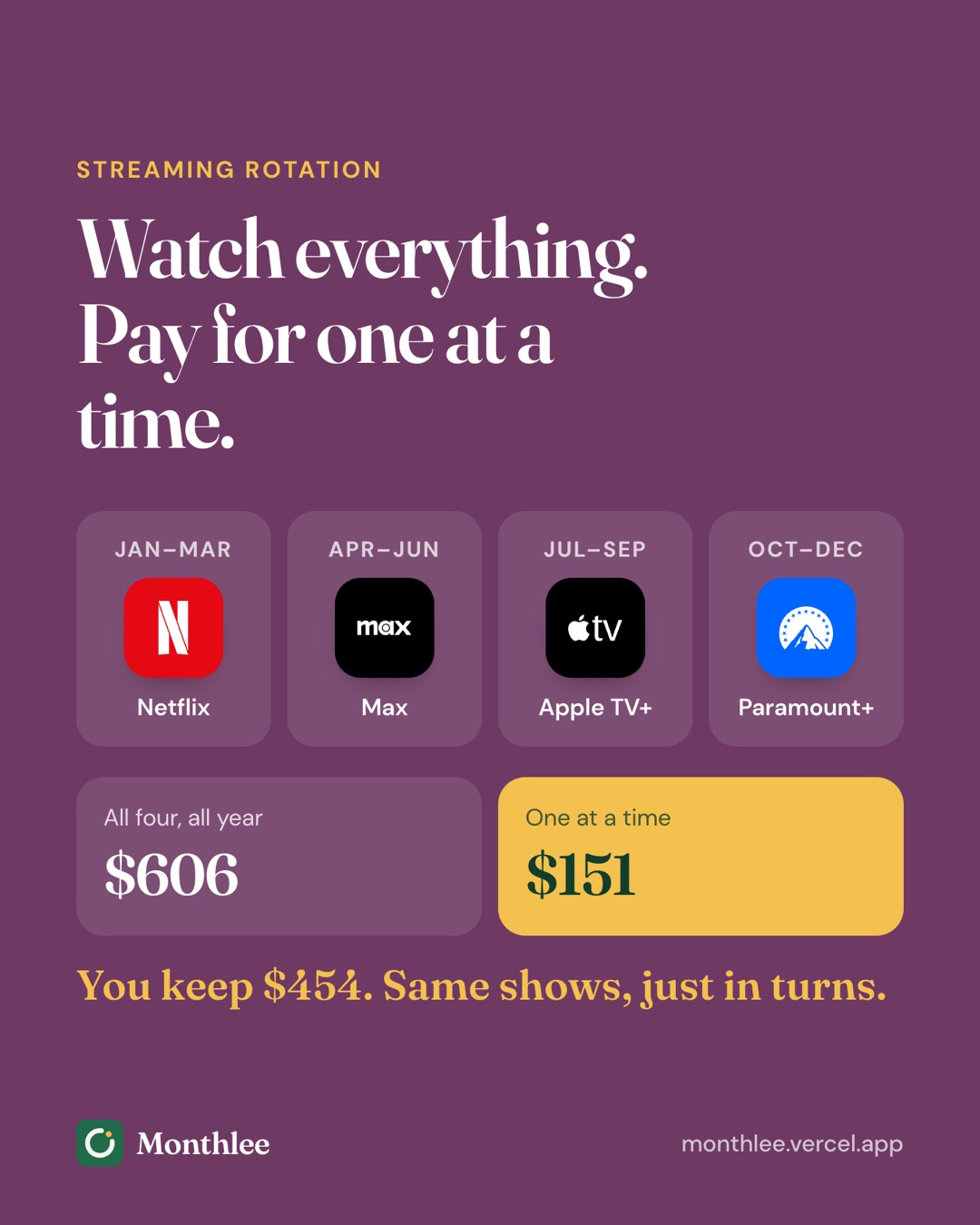
Rotate streaming services to pay for one at a time: plan a 12-month schedule, cancel right after a billing date, and keep a watchlist to save hundreds.

Key takeaways
- Rotating means subscribing to one streaming service, watching what you want, cancelling, then moving to the next.
- With four example services, rotation cuts a $569.52 yearly bill to about $150.
- Cancel soon after a billing date; most services keep your access until the paid month ends.
- Keep one shared watchlist across services so each paid month has a plan.
- You may lose promotional or older locked-in prices when you leave, so check before cancelling.
To rotate streaming services, you subscribe to one service at a time, watch what you want on it, cancel, and move on to the next. Instead of paying for four services every month, you pay for one, and switch every month or two.
Because most services let you keep watching until the end of the month you've paid for, you can cancel right after you're billed and lose nothing. Plan the order in advance, keep a single watchlist, and set a reminder before each billing date.
With four example services, that approach can bring a yearly streaming bill from about $570 down to about $150. Here's how to plan it, what you give up, and how to time each switch.
How streaming rotation works#
The idea behind rotation is simple: most people don't watch every service every month. You might be deep into one series on one platform while three other subscriptions sit unused.
Rotation lines your spending up with your watching:
- Pick the service with the most you want to watch right now.
- Subscribe and watch what's on your list.
- Cancel soon after the billing date, so it doesn't renew.
- When that month ends, subscribe to the next service on your plan.
- Repeat through the year, coming back to services as new seasons arrive.
Shows don't disappear the moment you stop paying. A series you missed in spring will usually still be there in autumn, often with more episodes to watch in one go.
Who rotation suits#
Rotation works best if you:
- Pay for three or more streaming services.
- Tend to watch one or two shows at a time.
- Don't mind waiting a few weeks for a show rather than watching on release day.
It's less useful if you watch live sports every week on one platform, or if several people in your household each rely on a different service. Even then, a partial rotation can help, as you'll see below.
Plan a 12-month rotation schedule#
A plan turns rotation from a vague intention into something you'll actually follow. Start by listing what you want to watch over the next year and which service has it.
Then assign months. Give the service with the longest list more time, and line up services with the months their big shows return.
Sample schedule#
The prices below are example monthly plans to show the arithmetic, not current prices for any real service. Swap in your own.
| Month | Service | Example price | What you watch |
|---|---|---|---|
| January | Service A | $15.49 | New season of a drama you follow |
| February | Service A | $15.49 | Catch up on a backlog of films |
| March | Service B | $13.99 | Finish a series you started last year |
| April | Service B | $13.99 | A new limited series |
| May | Service C | $9.99 | Animated films and a family show |
| June | Service C | $9.99 | Documentaries on your list |
| July | Service D | $7.99 | Comedy series |
| August | Service D | $7.99 | Older seasons you've meant to watch |
| September | Service A | $15.49 | Autumn premieres |
| October | Service A | $15.49 | Rest of the season |
| November | Service B | $13.99 | Holiday releases |
| December | Service C | $9.99 | Holiday films with family |
Service A gets four months, B and C three each, and D two. That's 12 months, one service at a time.
The savings arithmetic#
First, the cost of keeping all four running all year:
- Monthly total: $15.49 + $13.99 + $9.99 + $7.99 = $47.46
- Yearly total: $47.46 × 12 = $569.52
Now the rotation:
- Service A: $15.49 × 4 = $61.96
- Service B: $13.99 × 3 = $41.97
- Service C: $9.99 × 3 = $29.97
- Service D: $7.99 × 2 = $15.98
- Yearly total: $61.96 + $41.97 + $29.97 + $15.98 = $149.88
That's a saving of $569.52 − $149.88 = $419.64 over the year, and an average streaming bill of $149.88 ÷ 12 = $12.49 a month.
A partial rotation#
If someone at home won't give up Service A, keep it all year and rotate the other three in a second slot:
- Service A all year: $15.49 × 12 = $185.88
- Second slot: Service B for five months ($69.95), C for four ($39.96), D for three ($23.97) = $133.88
- Yearly total: $185.88 + $133.88 = $319.76
You still save $569.52 − $319.76 = $249.76, and you always have two services available.
Time cancellations to your billing dates#
The trick to rotation is cancelling at the right moment. Cancel too late and you pay for another month you won't use. Cancel in the wrong way and you might cut your access short.
Cancel soon after you're billed#
Most streaming services, and subscriptions billed through Apple or Google Play, keep your access until the end of the paid period after you cancel. That means you can cancel a day or two after a charge and still watch for the whole month.
Cancelling early has a big advantage: there's nothing left to remember. The subscription will simply end on its own at the end of the month.
Before relying on this, read the confirmation message when you cancel. If it says your access continues until a certain date, you're set. If a service ends access immediately, wait and set a reminder instead.
Line up the next service#
When one service ends, start the next. You don't need any overlap. If your Service A month ends on March 3, subscribe to Service B on March 3 or whenever you're ready to watch.
Your billing date for the new service is usually the day you sign up. Make a note of it, because that's the date you'll want to cancel around next time.
Where to cancel#
Cancel in the same place you subscribed:
- On the service's website: open your account page, find Membership or Billing, and choose Cancel. Menus change, so check the service's help page if yours looks different.
- Through Apple: Settings → [your name] → Subscriptions → pick the service → Cancel Subscription. See how to cancel subscriptions on iPhone for the full steps.
- Through Google Play: Play Store app → profile picture → Payments & subscriptions → Subscriptions → pick the service → Cancel subscription.
- Through a TV provider, phone plan or bundle: cancel or change it with that provider, since the service may not be able to do it for you.
Deleting the app from your phone or TV doesn't cancel anything.
What you lose when you rotate#
Rotation saves a lot, but it isn't free of trade-offs. Know what's at stake before you cancel each service.
Things that usually stay#
- Your account. You can sign back in with the same email.
- Profiles, watchlists and viewing history. Many services keep these for a period after you cancel, so your "continue watching" row is waiting when you return. How long they're kept varies, so check the service's help page if your history matters to you.
Things you might lose#
- Promotional pricing. A discounted rate from a promotion often ends when you cancel. When you come back, you'll pay the standard price unless another offer is running.
- An older price. If you've kept a plan for years at a price that's since gone up, cancelling may mean returning at the current, higher rate.
- Yearly discounts. Rotation works with monthly billing. If a service offers a good yearly price and you watch it all year, rotating it may cost more. Our guide to monthly vs yearly subscriptions shows how to run the numbers.
- Downloads. Shows downloaded for offline viewing usually stop working once your plan ends.
- Bundle benefits. If a service came bundled with another subscription, cancelling one part can change the price of the rest.
Watch for retention offers#
When you cancel, some services offer a discount to stay. If it's a good deal and you're still watching, it's fine to take it. Just note the new price and when the offer ends, so the full price doesn't sneak back in.
Keep a watchlist that spans every service#
Rotation works best when you know exactly what you'll watch in each paid month. Without a plan, you can spend half the month scrolling.
A simple cross-service watchlist fixes that:
- Keep one list, not one per app. Use a note, a spreadsheet or a shared document so everyone at home can add to it.
- Record the service for each title. "Drama series, Season 3: Service A."
- Note release dates. Big releases are good reasons to choose which service comes next.
- Group by service. When it's Service B's turn, you'll have a ready list to work through.
- Cross titles off as you watch. When a service's list is short, it's time to rotate.
If your household shares streaming costs, a shared list also makes it easy to agree on the order. How to share and split subscription costs with family covers the money side.
Use reminders so rotation stays on track#
Rotation only saves money if each subscription actually ends. The common failure isn't forgetting to subscribe; it's forgetting to cancel.
Set up reminders for:
- Each billing date. A reminder a day or two before the next charge is your last chance to cancel if you haven't already.
- The day after you subscribe. A nudge to cancel early, so the service ends on its own.
- The start of each new rotation month. A reminder to subscribe to the next service and pick up your watchlist.
A calendar event per service works. If you'd rather see streaming alongside everything else you pay for, Monthlee on iPhone lets you add each service with its price and billing date and sends a reminder on the day or 1, 2, 3 or 7 days before the charge. When you delete a subscription as "I cancelled it," its savings report counts what you're saving, which makes rotation savings easy to see. For more ways to set this up, see how to get reminded before every subscription renews.
Getting started with your first rotation#
You don't need a perfect year-long plan to begin. Start small:
- List every streaming service you pay for. Include ones billed through Apple, Google Play, your phone plan or a TV provider. How to find every subscription you're paying for helps if you're not sure.
- Note each billing date and price.
- Pick the one you'll keep this month. Choose the service with the most on your watchlist right now.
- Cancel the rest now. Each one will usually run until the end of its current period, so you won't lose anything you've paid for.
- Set a reminder for your keeper's next billing date, and decide at that point whether to rotate.
After a couple of rounds, you'll have a feel for how long each service actually holds your interest. Use that to plan the rest of the year.
The bottom line#
Rotating streaming services means paying for the one you're watching and cancelling the rest. Plan the order around what you want to watch, cancel soon after each billing date so access runs to the end of the month, and keep one watchlist across every service.
Watch out for promotional or older prices you'd lose by leaving, and set reminders so every subscription actually ends on schedule. Done consistently, rotation can cut a streaming bill by more than half without missing the shows you care about.
Frequently asked questions
Is it worth rotating streaming services?
For most people who pay for several services but only watch one or two at a time, yes. Paying for one service at a time can cut yearly streaming costs by more than half, at the cost of a little planning.
Do I lose my watchlist if I cancel a streaming service?
Usually not right away. Many services keep your profile, watchlist and viewing history for a period after you cancel, so they're there when you come back. Policies differ, so check the service's help page if your history matters to you.
When should I cancel a streaming subscription to get the most out of it?
Cancel shortly after you've been billed. Most services let you keep watching until the end of the period you paid for, so cancelling early stops the next charge without cutting your month short.
Can I resubscribe to a streaming service after cancelling?
Yes. You can usually sign back in and restart a plan whenever you like. The price will be whatever the service charges at that time, which may be higher than an older rate you had.
Know every charge before it lands.
Monthlee keeps your subscriptions, bills and free trials in one calm list and reminds you before each charge. No bank login. Free for up to 5 subscriptions.
Download on theApp Store- Reminders 1, 2, 3 or 7 days before
- Free-trial warnings
- Monthly and yearly totals
- Cancel guides with direct links
Keep reading
 Save money
Free Alternatives to Paid Subscriptions Worth Trying
Free alternatives to subscriptions: free tiers, library apps, built-in phone apps, open-source software and shared plans, with honest trade-offs for each.
 Save money
Subscriptions on a Student Budget: Keep, Cut and Discounts
How to manage student subscriptions on a tight budget: decide what to keep or cut, check for student pricing, use free campus resources and pause over summer.
 Save money
The Subscription Detox: A 30-Day Reset
A subscription detox is a 30-day reset: pause or cancel everything non-essential, notice what you miss, then add back only what earns its place.