How to Cancel UPI Autopay (Google Pay, PhonePe, Paytm, BHIM)
How to cancel UPI autopay on Google Pay, PhonePe, Paytm and BHIM: find the mandate, revoke it with your UPI PIN, and cancel with the merchant too.
Key takeaways
- Open the UPI app you used to approve the autopay, find the Autopay or Mandates section, pick the mandate and choose cancel or revoke, then confirm with your UPI PIN.
- Cancelling the mandate only stops future debits. Cancel the subscription with the merchant as well, or it may stay active and ask you to pay another way.
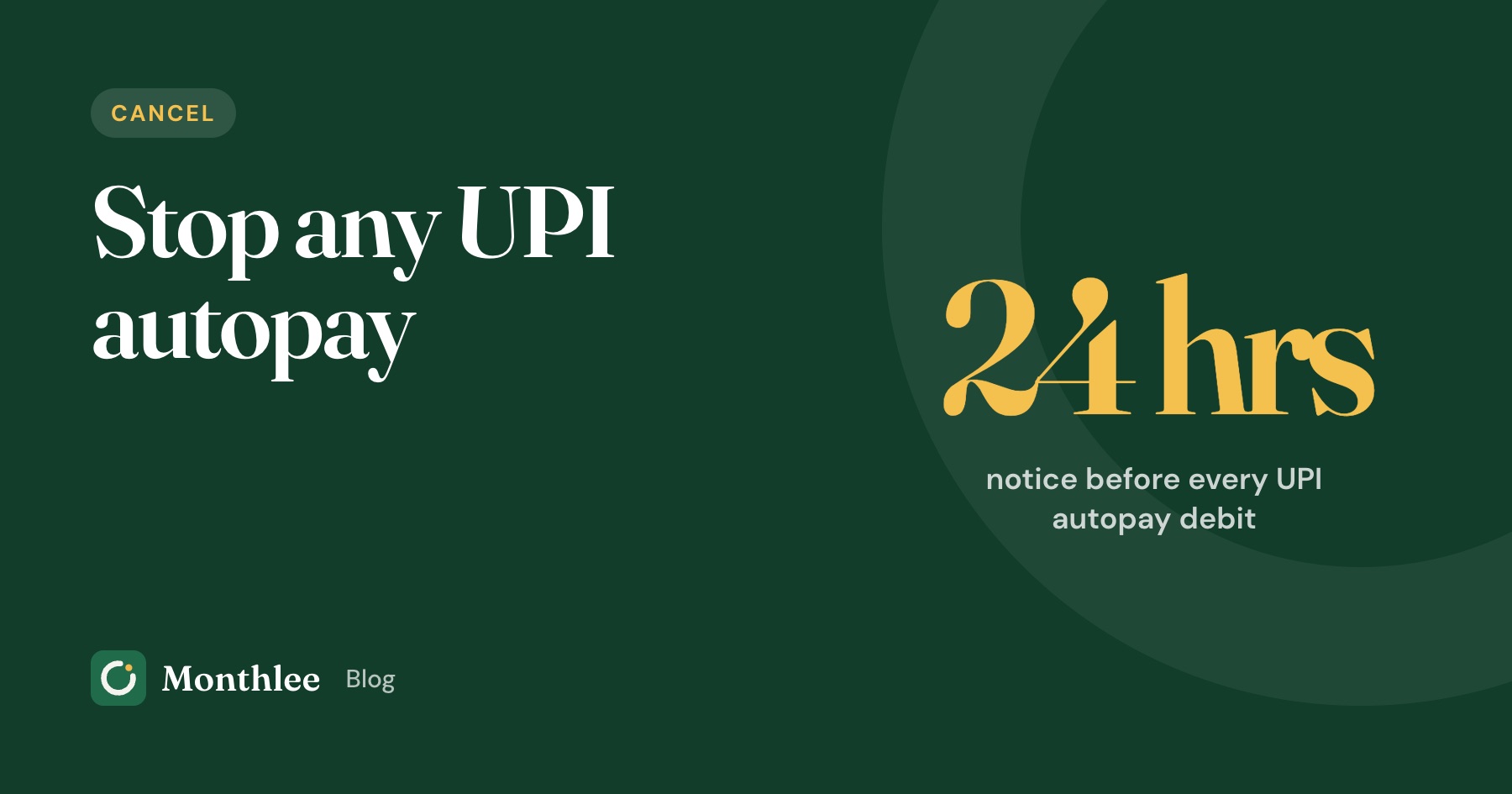
- Under the RBI's 2026 e-mandate rules, your bank must alert you at least 24 hours before each autopay debit, and you can opt out of that one debit or the whole mandate.
- Pausing is useful for a short break, but revoking is the clean way to end a mandate you no longer want.
- If you can't find a mandate in one app, check your other UPI apps and your bank's app; for a mandate you never approved, report it in the app and to your bank straight away.
To cancel UPI autopay, open the UPI app you used to approve it (Google Pay, PhonePe, Paytm, BHIM or your bank's app), go to the Autopay or Mandates section, tap the mandate you want to stop, choose Cancel or Revoke, and confirm with your UPI PIN. The mandate should then move out of your active list, and no further debits should be taken.
Then do one more step that people often skip: cancel the subscription with the merchant too. Revoking the mandate stops the money leaving your bank account. It doesn't always tell the service you've left.
Below are the steps for each app, what the RBI rules say about pre-debit alerts and cancelling, what to do when a mandate won't cancel, and how to stop forgotten autopays from piling up again.
What UPI autopay actually is#
When you sign up for something like an OTT plan, a music app, a mobile recharge or an SIP and choose UPI autopay, you approve a mandate. A mandate is standing permission for that merchant to debit your linked bank account on a schedule, up to an amount you agreed to.
You approve it once with your UPI PIN. After that, smaller recurring debits go through on their own. That's what makes autopay convenient, and also what makes it easy to forget.
Every mandate has a few details you can see in your UPI app:
- Merchant name (sometimes a payment company's name rather than the brand you know)
- Amount, either fixed or a maximum limit for variable debits
- Frequency, such as monthly, quarterly, yearly or "as presented"
- Validity, the date the mandate ends if you never cancel it
- Linked bank account
A UPI mandate is different from a card subscription and from a bank e-NACH mandate, even though all three are "auto-debits". This guide covers UPI. If a recurring charge shows up on your credit card instead, see what happens to your subscriptions when your card changes.
The RBI rules on UPI autopay, in plain terms#
The Reserve Bank of India brought its e-mandate rules together in the Digital Payments – E-mandate Framework, 2026, issued on 21 April 2026 and effective immediately. It covers recurring payments on cards, prepaid wallets and UPI. The parts that matter when you want to cancel:
| Rule | What it means for you |
|---|---|
| Pre-debit notification at least 24 hours before each debit | You get an alert with the merchant, amount, date, mandate reference and reason before money leaves |
| Facility to opt out | You can opt out of one particular debit, or the whole mandate |
| Changes need extra authentication | Modifying or withdrawing a mandate needs your UPI PIN |
| Validity period | Every mandate must state how long it lasts, and you can change it or withdraw the mandate at any time |
| No charges for e-mandates | You can't be charged a fee for using the e-mandate facility |
| ₹15,000 limit | Recurring debits up to ₹15,000 each can go through without a fresh PIN; above that, you authenticate each time |
| ₹1,00,000 limit for some categories | For insurance premiums, mutual fund subscriptions and credit card bill payments, the no-PIN limit is ₹1,00,000 per debit |
Two practical points follow from this. First, the pre-debit alert is your cancellation reminder: if you get one for something you don't want, that's your cue to act before the debit. Second, you'll always need your UPI PIN to cancel, so anyone who calls asking for your PIN "to help cancel a mandate" is not someone to trust.
Exact menus and how apps show these options are up to each app, so they vary a little.
How to cancel UPI autopay, app by app#
The steps are similar in every UPI app: find the Autopay or Mandates section, pick the mandate, cancel and confirm with your PIN. The details differ a little.
Google Pay#
Google's help page for Google Pay in India gives these steps:
- Open Google Pay and tap your profile picture at the top right.
- Tap Autopay.
- In the Live tab, tap the mandate you want to stop.
- Choose Cancel autopay (or Pause autopay if you only want a break; you can pick start and end dates).
- Enter your UPI PIN.
- Check the Live tab again to confirm the status changed.
The Pending tab shows mandates waiting for your approval, and the Completed tab shows expired and revoked ones. That's a useful way to confirm a cancellation worked.
Two notes from Google's help page:
- Loan mandates can't be cancelled in Google Pay. If the autopay is for a loan EMI, contact the lender.
- If cancellation fails, check that the bank account linked to the mandate is active in Google Pay. If it shows as inactive, reactivate it and try again.
PhonePe#
PhonePe's own guidance (from its trust and safety blog, March 2026) puts autopays under your profile:
- Open PhonePe and tap your profile.
- Go to Autopay Settings.
- Find the mandate you want to stop.
- Choose Pause to stop debits for a while, or delete/cancel the mandate to end it.
- Confirm with your UPI PIN when asked.
PhonePe says it sends a notification 24 hours before a scheduled autopay deduction, and you can delete the autopay during that window if you no longer want it. Menus change, so check PhonePe's help section if yours looks different.
Paytm#
Paytm describes the path in its own guides like this:
- Open Paytm and tap your profile icon.
- Go to UPI & Payment Settings.
- Tap Automatic Payments (in some versions, look for Autopay or Mandates).
- Pick the active mandate and choose Cancel or Revoke.
- Enter your UPI PIN to confirm.
Paytm's guides also say you can pause instead of cancel if you only want to skip the next payment, and that you should pause or cancel before the scheduled debit date. Paytm's official FAQ page wasn't available when this guide was checked, so treat the exact labels as a guide and look for "Automatic Payments" or "Mandates" in your app.
BHIM#
In the BHIM app, mandates live in their own section:
- Open BHIM and log in.
- Find the Mandates (or Autopay) section.
- Select the active mandate.
- Choose Revoke, then confirm with your UPI PIN.
We couldn't confirm these steps against an official BHIM or NPCI help page, because the BHIM site was unavailable when we checked. The layout above matches what several bank and payment guides describe, but menus differ between versions. Some users also report that pause isn't offered for every mandate. If you don't see the option, use revoke, or check BHIM's in-app help.
Your bank's app as a backup#
Many banks show UPI mandates in their own mobile banking app or net banking, often under UPI, Mandates or Autopay. If a UPI app won't let you cancel, try your bank's app, or call the bank and ask them to revoke the mandate.
Seeing all your mandates in one place#
For a long time, you could only manage a UPI mandate in the app where you created it. If you approved a mandate in one app and later moved to another, it was easy to forget it existed.
NPCI, which runs UPI, has been changing this. According to press reports of an NPCI circular from October 2025, UPI apps were asked to let you view and manage all your UPI autopay mandates from any UPI app, with a deadline of 31 December 2025. NPCI also runs a UPI Help site at upihelp.npci.org.in. We couldn't read the NPCI circular itself, and how fully each app has rolled this out varies, so don't rely on one app showing everything.
A thorough check looks like this:
- Open every UPI app on your phone and look at its Autopay or Mandates section.
- Check your bank's app for UPI mandates.
- Search your SMS and email for "mandate", "autopay" and "pre-debit".
- Look at your bank statement for the last three months, and 12 months for yearly debits.
If you find subscriptions you'd forgotten about, the guide on how to find every subscription you're paying for covers other places they hide, such as app stores and family accounts.
Cancel the subscription with the merchant too#
This is the step people miss. A mandate is only the payment route. Revoking it stops the bank from paying, but the service may still think you're subscribed.
What can happen if you only revoke the mandate:
- The service shows a "payment failed" message and asks you to set up a new payment.
- Your account stays active but marked as unpaid.
- For a contract with a lock-in, such as a loan or some memberships, you still owe the money.
So, for each mandate you revoke:
- Open the service's own app or website and look for Account, Membership, Subscription or Plan.
- Choose Cancel or turn off auto-renew. Menus change, so check the service's help page if yours looks different.
- Keep the confirmation (a screenshot or email is fine).
If you subscribed through Google Play or the App Store#
Some subscriptions look like UPI autopay but are actually billed by Google Play or Apple, which then charge your UPI or card. Those are cancelled in the store, not in your UPI app. On Android: Play Store → profile picture → Payments & subscriptions → Subscriptions. On iPhone: Settings → [your name] → Subscriptions. Uninstalling the app doesn't cancel anything. Step-by-step guides: cancelling on Android and Google Play and cancelling subscriptions on iPhone.
A worked example: what forgotten mandates cost#
Say you find four active mandates during a check:
| Mandate | Amount | Frequency | Yearly cost |
|---|---|---|---|
| Streaming plan | ₹149 | Monthly | ₹149 × 12 = ₹1,788 |
| Music app | ₹119 | Monthly | ₹119 × 12 = ₹1,428 |
| Cloud storage | ₹1,300 | Yearly | ₹1,300 |
| Fitness app (unused) | ₹399 | Monthly | ₹399 × 12 = ₹4,788 |
Total: ₹1,788 + ₹1,428 + ₹1,300 + ₹4,788 = ₹9,304 a year.
If you keep the streaming plan and cloud storage but revoke the other two, you save ₹1,428 + ₹4,788 = ₹6,216 a year, or ₹6,216 ÷ 12 = ₹518 a month.
The amounts are examples. The pattern is common, though: one or two small monthly debits you'd stopped noticing add up to thousands of rupees a year.
When a UPI mandate won't cancel#
If the cancel or revoke option fails, work through these in order:
- Update the app and try again.
- Check the linked bank account is active in that app. Google Pay specifically lists this as a cause of failed cancellations.
- Try the app where you created the mandate, if you're using a different one.
- Try your bank's app or net banking.
- Contact the merchant and ask them to cancel the mandate on their side. Some mandates, such as loan EMIs, may only be cancellable through the lender.
- Raise a complaint in the UPI app (look for Help or Get help), then with your bank if it isn't resolved.
Keep screenshots of each attempt with the date. If a debit goes through after you asked to cancel, those records help when you contact the bank.
A mandate you never approved#
If you find a mandate you don't recognise, don't wait:
- Revoke it in the app straight away.
- Report it through the app's Help section and to your bank.
- Never share your UPI PIN or an OTP with anyone, including people claiming to be from customer care.
- PhonePe's safety guidance also points to the national cybercrime helpline, 1930, and the Cyber Crime Portal for reporting fraud.
If you're unsure what a charge is, what to do about an unknown subscription charge walks through identifying it before you act.
How to stop autopays piling up again#
UPI autopay makes signing up very easy, which is exactly why mandates multiply. A few habits keep them under control:
- Read the mandate screen before entering your PIN. Check the merchant, amount, frequency and end date. If the maximum amount looks high for what you're buying, think twice.
- Treat the 24-hour pre-debit alert as a decision point. When it arrives, ask "do I still want this?" before the money goes.
- Use one UPI app for subscriptions where you can, so mandates live in one place.
- Note every mandate you approve with its amount and next debit date.
- Check your mandate lists every few months, in each UPI app and your bank's app.
A simple note or spreadsheet works for that list. If you'd like reminders on your phone instead, Monthlee is an iPhone app where you add each subscription yourself, with no bank login, and it reminds you on the day or 1, 2, 3 or 7 days before each charge. It's free for up to 5 subscriptions.
The bottom line#
To cancel UPI autopay, open the UPI app where you approved it, go to Autopay or Mandates, tap the mandate, choose cancel or revoke and confirm with your UPI PIN. Then cancel the subscription with the merchant so it doesn't stay active.
Use the 24-hour pre-debit alert the RBI requires as your last chance to stop a debit you don't want. Check every UPI app and your bank's app for mandates, because not every app shows everything yet. And if a mandate looks unfamiliar, revoke it and report it the same day.
Frequently asked questions
How do I cancel UPI autopay in Google Pay?
Open Google Pay, tap your profile picture, then tap Autopay. In the Live tab, tap the mandate, choose Cancel autopay and enter your UPI PIN. Google notes that loan-related mandates can't be cancelled in Google Pay; contact the lender instead.
Does cancelling a UPI mandate cancel my subscription?
No. Revoking the mandate only stops future automatic debits from your bank account. The service may still treat you as a subscriber and ask you to pay another way, so cancel the subscription in the service's own account settings too.
Will I get a notification before UPI autopay deducts money?
Yes. Under the RBI's Digital Payments – E-mandate Framework, 2026, your bank must send a pre-debit notification at least 24 hours before each recurring debit, with the merchant, amount and date. You can use that window to opt out of the debit or cancel the mandate.
Can I cancel UPI autopay without the UPI PIN?
Usually not. RBI rules say any change to or withdrawal of an e-mandate needs extra authentication, which for UPI means your UPI PIN. If you've forgotten it, reset the PIN in your UPI app first, or ask your bank or the merchant to cancel the mandate.
What is the difference between pausing and revoking UPI autopay?
Pausing stops debits for a period you choose and keeps the mandate in place, so payments start again afterwards. Revoking cancels the mandate permanently, and the merchant would need you to approve a new one to charge you again.
Know every charge before it lands.
Monthlee keeps your subscriptions, bills and free trials in one calm list and reminds you before each charge. No bank login. Free for up to 5 subscriptions.
Download on theApp Store- Reminders 1, 2, 3 or 7 days before
- Free-trial warnings
- Monthly and yearly totals
- Cancel guides with direct links
Keep reading
 Cancel
How to Cancel a Gym Membership Without Surprise Fees
How to cancel a gym membership: check your contract and notice period, cancel in writing, keep proof, and why blocking your card doesn't end the contract.
 Cancel
How to Cancel Adobe Subscription (and Avoid the Fee)
How to cancel your Adobe subscription on the web or through Apple and Google Play, plus how the early cancellation fee on annual plans paid monthly works.
 Cancel
How to Cancel Apple TV+ (Now Called Apple TV)
How to cancel Apple TV+, now called Apple TV, on iPhone, Mac, Apple TV 4K, Android, Windows or the web, plus Apple One, carrier and Peacock bundle cases.